

Choosing the best accounting software for freelancers is harder than it should be. I sat down with 12 of these tools — read the user reviews, the BBB complaints, the Reddit rants, the official docs, all of it. This is what I found, written for solo freelancers and self-employed workers who don’t want to spend $200 finding out the wrong way.
Pricing verified April 2026 against each vendor’s official pricing page. Re-verify before publishing if the date is more than three months old.

Quick comparison: the six I recommend
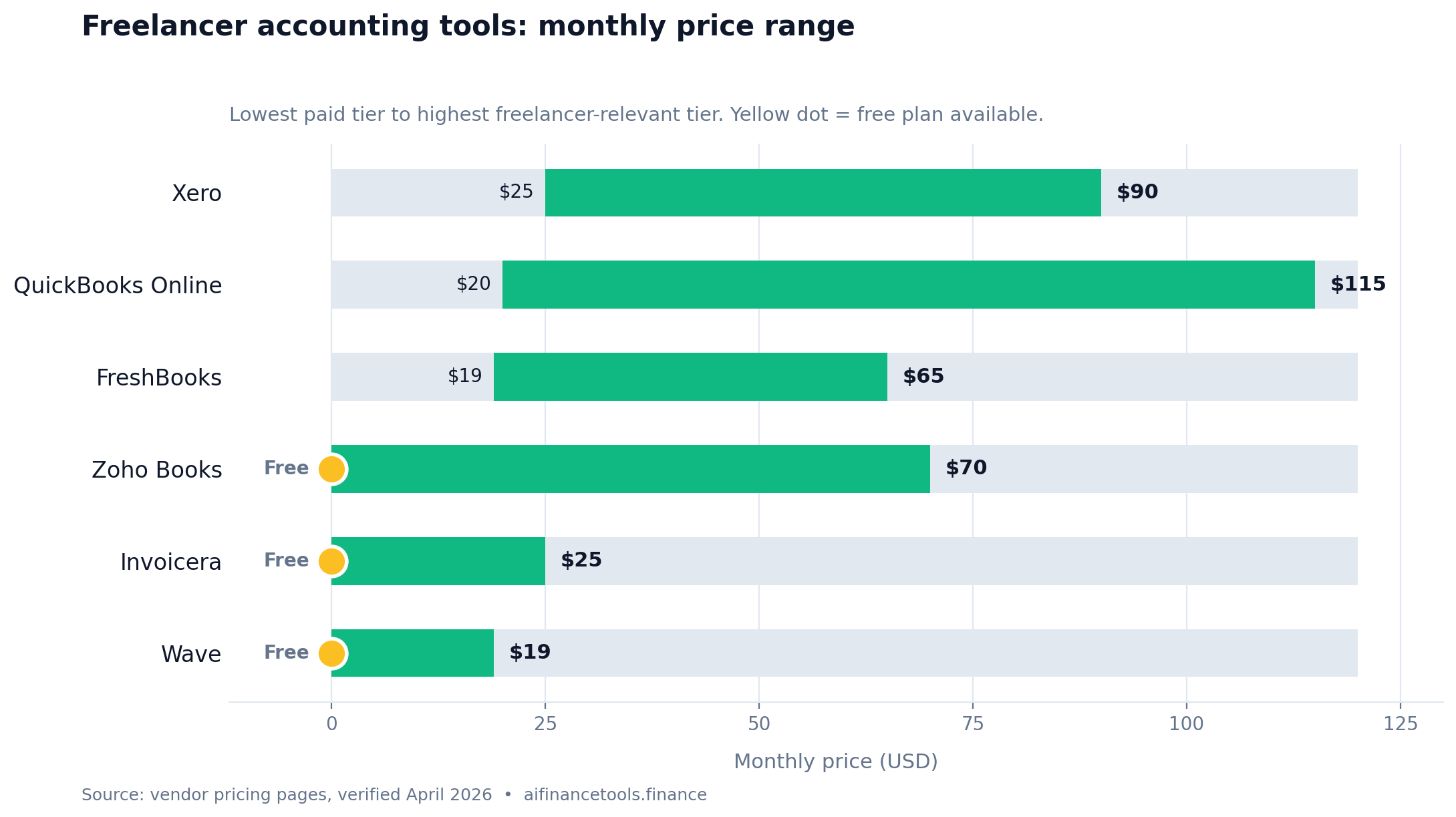
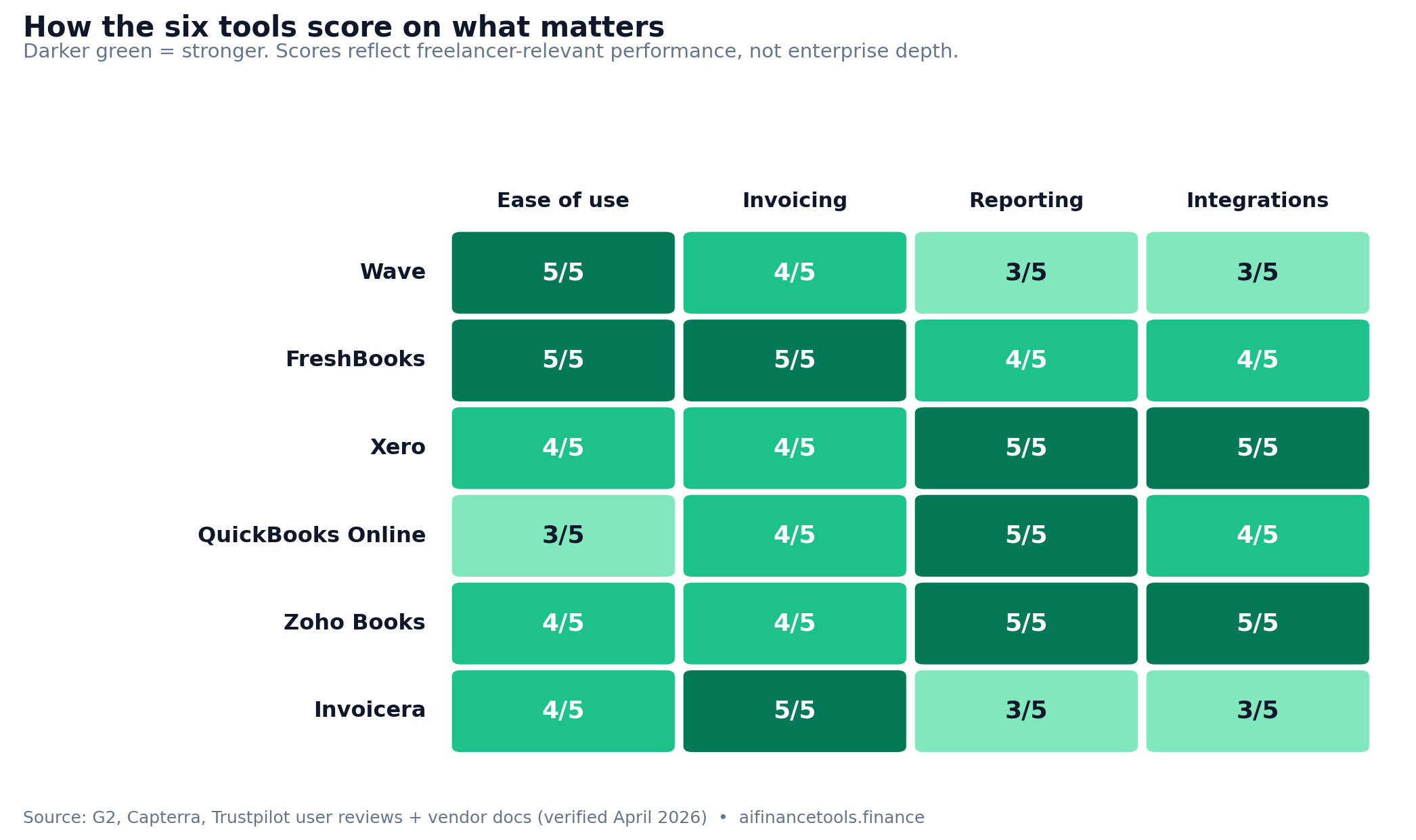
Here are the six tools worth your time. Scroll right on mobile to see the full table.
| Tool | Price | Best for | Ease of use | Invoicing | Reporting | Integrations |
|---|---|---|---|---|---|---|
| Wave | Free or $19/mo (Pro) | Tight budgets | ★★★★★ | ★★★★ | ★★★ | ★★★ |
| FreshBooks | $19 to $65/mo | Growing freelancers | ★★★★★ | ★★★★★ | ★★★★ | ★★★★ |
| Xero | $25 to $90/mo | Serious self-employed work | ★★★★ | ★★★★ | ★★★★★ | ★★★★★ |
| QuickBooks Online | $20 to $115/mo | If your CPA insists | ★★★ | ★★★★ | ★★★★★ | ★★★★ |
| Zoho Books | Free to $70/mo | Feature-heavy users | ★★★★ | ★★★★ | ★★★★★ | ★★★★★ |
| Invoicera | Free to $25/mo | Invoicing only | ★★★★ | ★★★★★ | ★★★ | ★★★ |
The full reviews
Wave: still useful, but less free than it used to be
Price: Free Starter, $19/month Pro | Best for: Freelancers in year one or two, or anyone watching every dollar
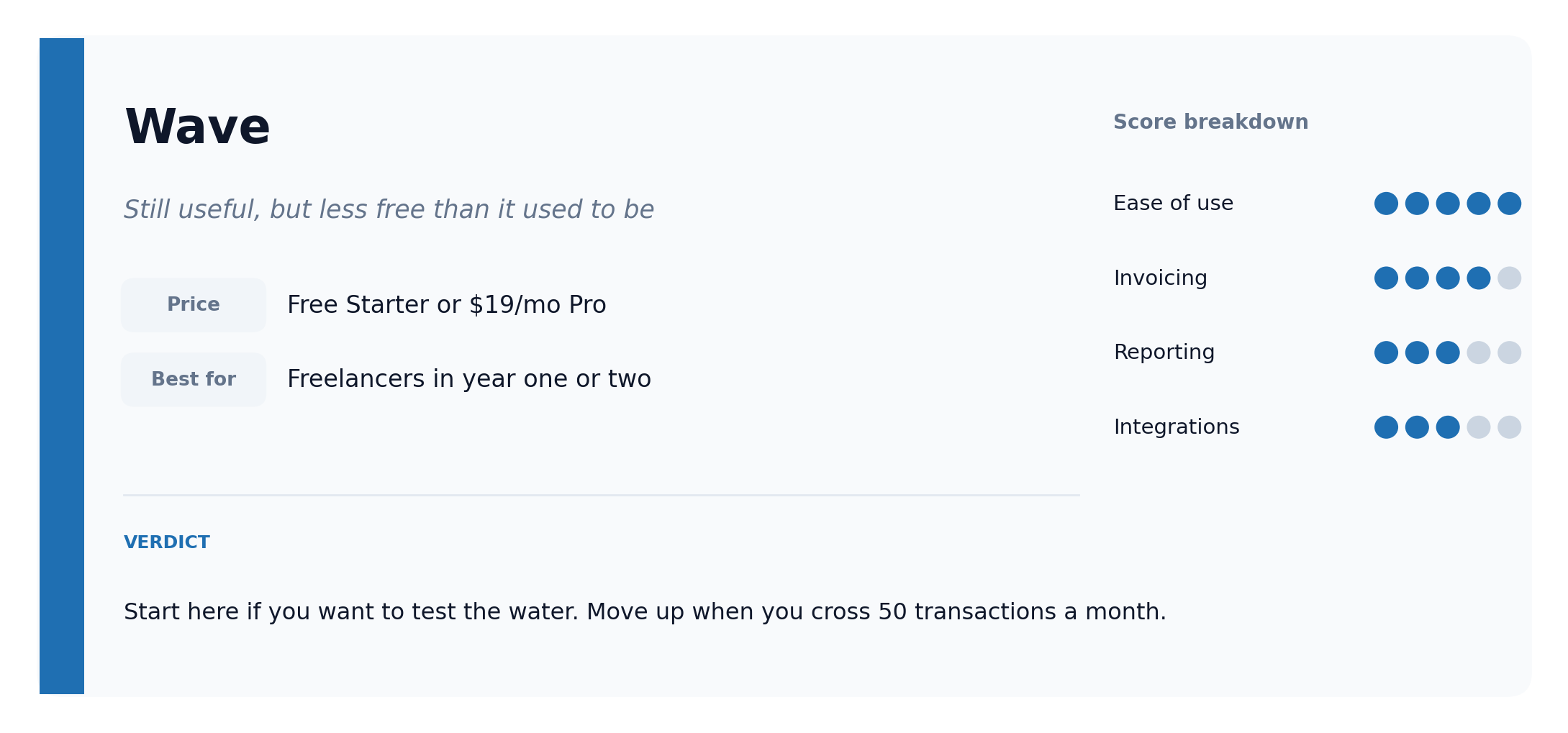
Wave’s free Starter plan covers the basics. Invoicing, expense tracking, financial reports. The catch: Wave moved several useful features behind a paywall in January 2024 with the launch of the Pro plan. Automatic bank imports through Plaid, receipt scanning, transaction merging, and multi-user access all sit on the $19 per month tier now.
Read through Wave reviews on Trustpilot, G2, and Capterra and you’ll spot the same story over and over. Solo freelancers running their entire books on it for three, four, five years. Some on the free tier, more on Pro after the 2024 change.
For very simple needs, the free plan still works. You send a clean invoice with your branding, set up payment reminders, and accept online payments. Wave takes a cut on the online payment side, which is fair. Manual expense entry and CSV uploads are workable if you only have a handful of business transactions a month. Once you cross 50 transactions, the Pro plan pays for itself in time saved.
Where it falls short: reporting is thin compared to Xero. No multi-currency. No phone support, only email and a chatbot, which gets frustrating when something breaks at 9pm on a Sunday and you need an answer before Monday. Once you’re billing past $100K a year, you’ll likely feel the ceiling. Below that, plenty of self-employed workers never need anything more.
The verdict: Start here if you want to test the water. The free Starter plan handles basic expense tracking and invoicing. Once you’re processing more than 50 transactions a month, you’ll either upgrade to Pro at $19 or move to FreshBooks for similar money and a smoother experience.
FreshBooks: the one most freelancers stick with
Price: $19 to $65/month | Best for: Freelancers earning $30K to $150K a year
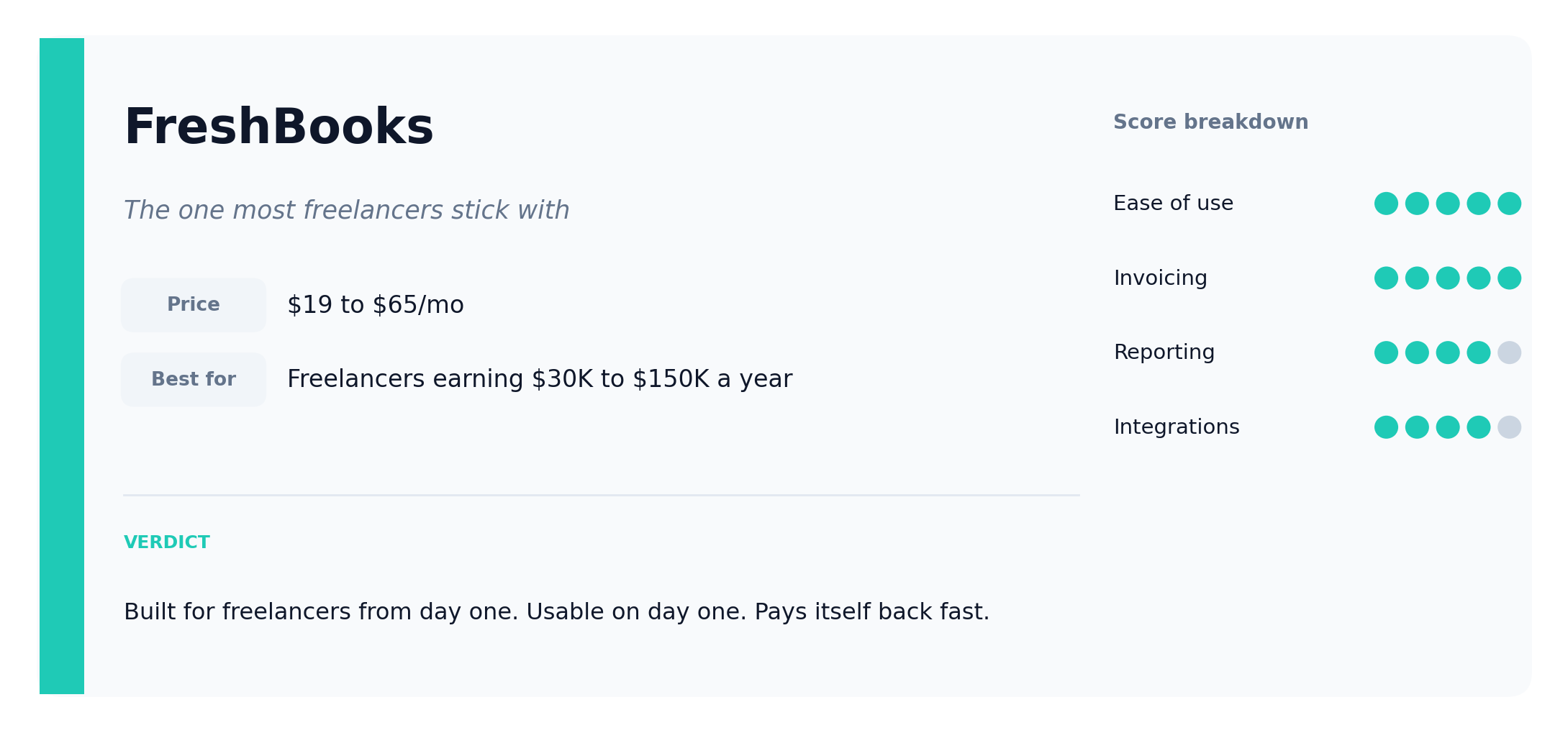
Across Trustpilot, G2, and Capterra, FreshBooks is the one freelancers keep going back to. The pattern in the feedback is consistent. People stick with it for years. It gets out of your way and lets you bill.
FreshBooks was built for freelancers from day one in 2003. They didn’t bolt freelancer features onto small business software later. You can feel that in how the invoices flow, how the dashboard reads, how fast support actually picks up the phone. When a client hasn’t paid, you set up an automatic reminder once and forget about it. Your invoices look professional. Logo, branding, tidy layout. One of my clients actually mentioned it to me.
Connecting your bank takes about five minutes. After that, expenses pull in automatically and you sort them as they appear. FreshBooks exports your expense categories in a Schedule C-friendly format at tax time, which saves a real amount of work when you’re handing things to a tax preparer or punching them into your own return. Time tracking is worth a mention if you bill hourly. It’s simple, and it feeds straight into invoices without you copying anything across.
The downsides are real. The Lite plan at $19 a month caps you at five clients. The Plus plan at $38 a month bumps that to fifty and unlocks recurring invoicing, late fees, and proposals, which is where most freelancers actually want to be. Reporting isn’t as deep as Xero’s. If your accounting situation gets complicated, you’ll eventually feel boxed in. For most self-employed people reading this, you won’t get there for years.
The verdict: If you’re earning real money and you want one tool that handles invoicing, expenses, and reports without making you read a manual, this is it. Reviewers across every platform say the same thing about getting paid faster. FreshBooks reports their customers get paid 11 days faster on average, which lines up with what users describe in the wild.
Xero: what your accountant actually wants you on
Price: $25 to $90/month | Best for: Freelancers clearing $100K, anyone working with an accountant, anyone scaling up
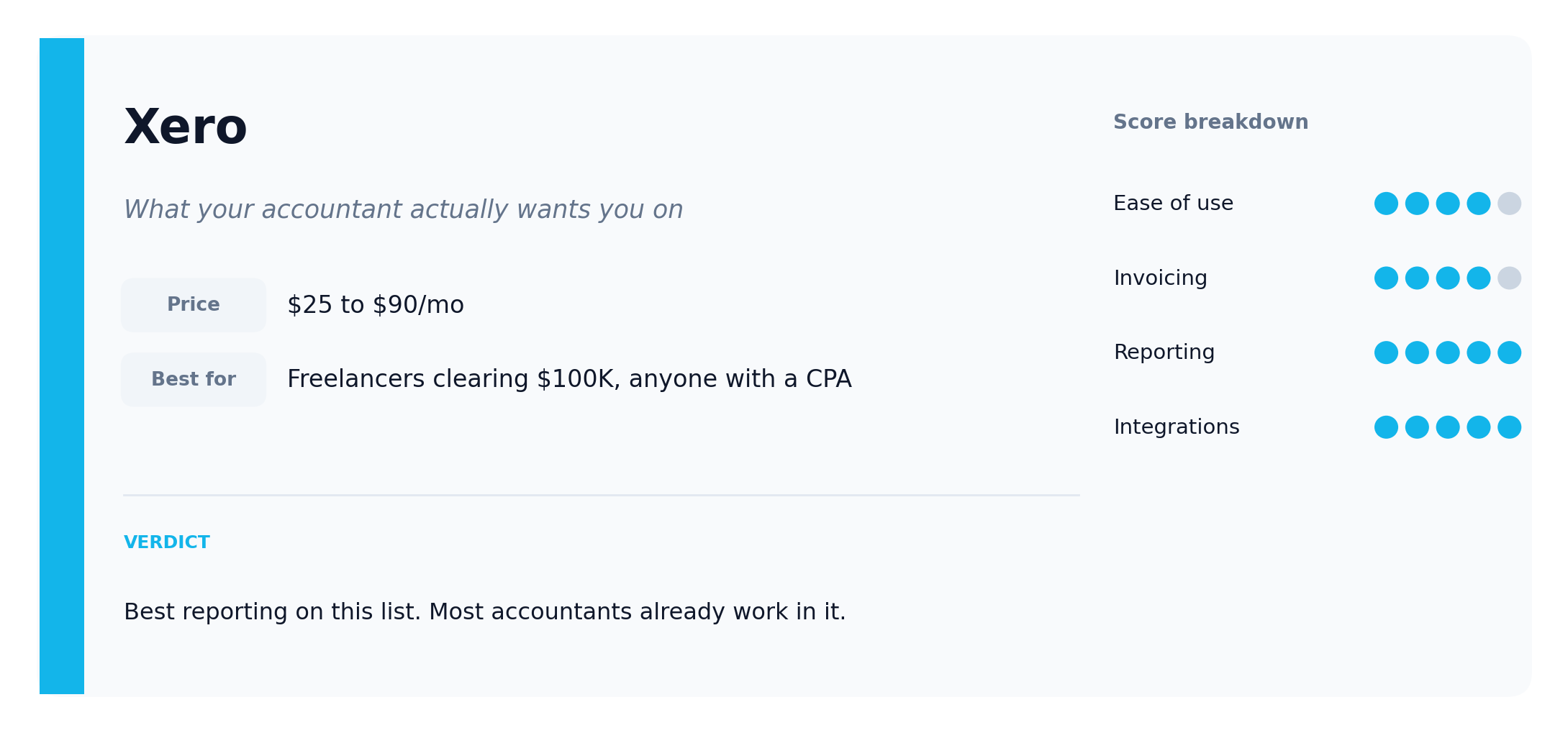
Xero is the platform accountants reach for. That matters more than people realize. When your accountant already lives inside the platform, they get into your books directly and bill you for less time. That’s real money saved at tax season.
The reporting rates higher than any other tool I looked at on Trustpilot, G2, and Capterra. Real-time profit and loss (P&L), balance sheets, cash flow reports. Bank reconciliation is solid and transactions pull in automatically. The full picture rather than a summary, which matters when you’re calculating quarterly estimated taxes and want to see your actual income picture instead of guessing. Multi-currency is built in on the Established plan, which matters if you bill clients in the US, UK, or Europe from somewhere else. Integrations are extensive. Xero connects to almost everything else you might already use. Form 1099-NEC preparation is included on every paid plan, which saves you a separate tool if you pay subcontractors.
The catch: there’s a learning curve. If you’ve never opened a set of books before, Xero feels heavy at first. It’s not as intuitive as FreshBooks for a first-time user. Support is good. Not as personal as FreshBooks, but you get answers. The Early plan at $25 caps you at 20 invoices and 5 bills per month, which most freelancers blow through inside a quarter. Most people end up on Growing at $55 a month within their first year on the platform.
The verdict: If you’re clearing over $100K a year, or you work with an accountant, use Xero. It’s the proper option. The reporting alone is worth the move. Check the Xero plan comparison before you sign up so you know which tier matches your actual transaction volume.
QuickBooks Online: the name everyone knows
Price: $20 to $115/month for the freelancer-relevant tiers | Best for: Freelancers already on it, or those whose accountants insist on it
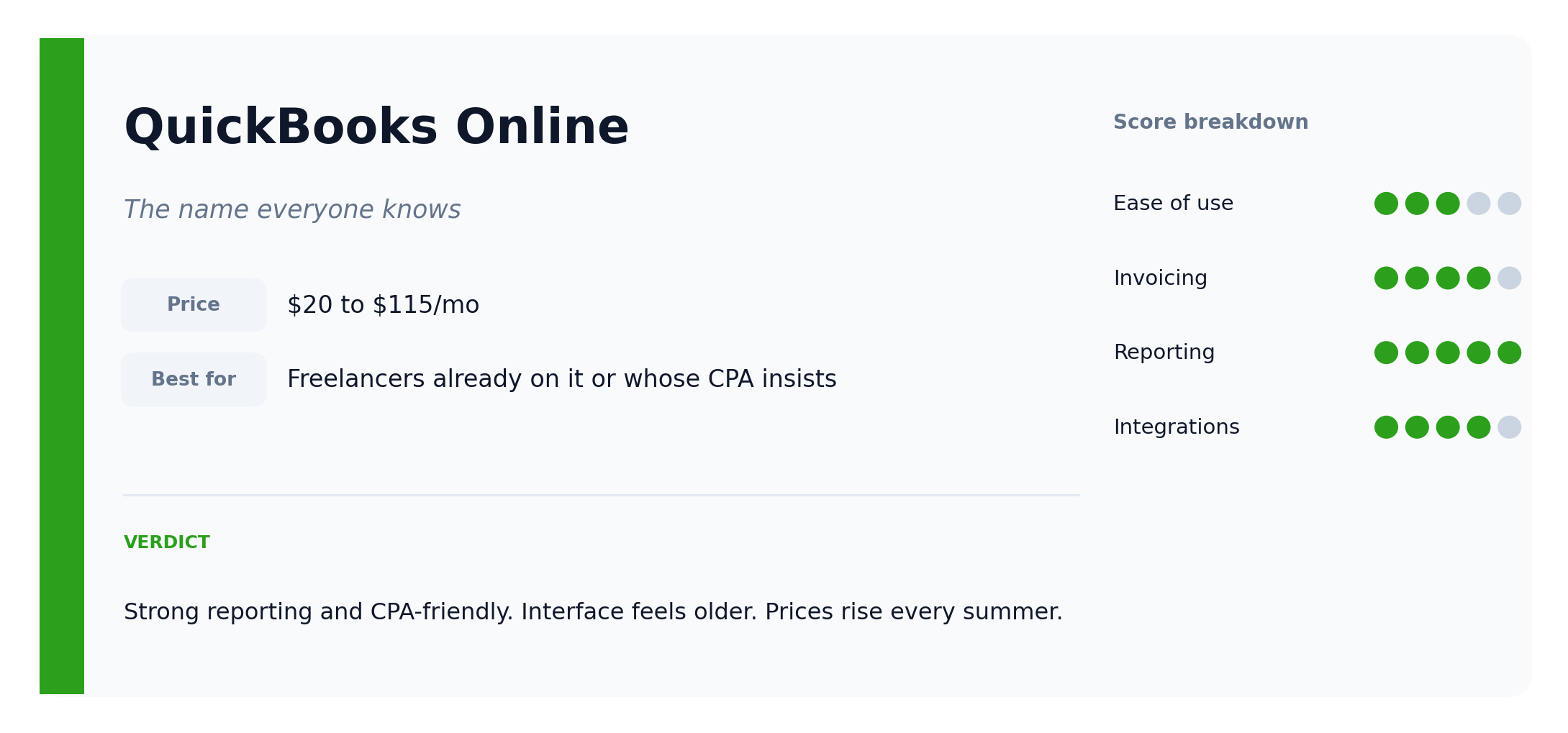
QuickBooks is the most recognized name in accounting software. The brand is the reason most people pick it. The interface and the price are the reason a lot of those same people regret it within a few months.
If your accountant uses QuickBooks, this is the simple answer. They can get into your books directly, handle tax planning, and do their job without friction. The reports are comprehensive. Invoicing works. Expense tracking is fine. 1099-NEC preparation is built in on every paid plan. Solopreneur at $20 covers the basics for one-person side businesses, but Simple Start at $38 is where most full-time freelancers actually need to be.
Compared to FreshBooks or Xero, the interface feels older. Less intuitive for someone new to accounting software. Customer support has room to improve, judging by the volume of complaints on G2 and Trustpilot. Intuit raises prices every summer, typically 12 to 17 percent year over year, so the $38 you’re paying today will be $43 next July and $50 the year after. Factor that in.
The verdict: Already on QuickBooks and it works for you? Stay there. Starting from scratch? I’d point you at FreshBooks or Xero first. Both are cleaner and faster to set up.
Zoho Books: more than you’ll probably use
Price: Free to $70/month for the relevant tiers | Best for: Freelancers who want depth, or anyone already using other Zoho tools
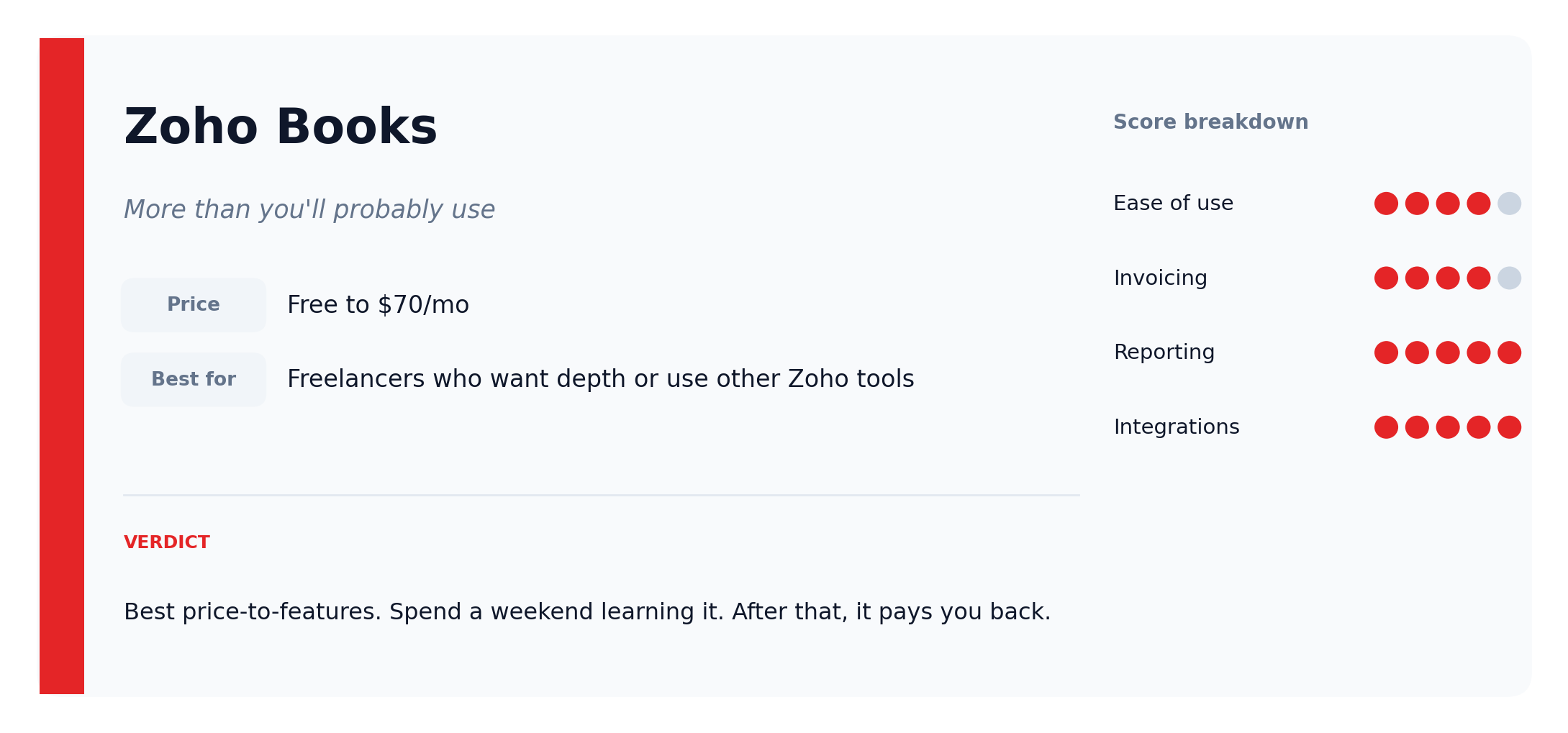
Zoho Books does a lot. Invoicing, expense tracking, time tracking, project management, financial reporting, all of it in one place at a price that beats most competitors. The free version is genuinely useful for solo operators with revenue under $50,000 a year, not a trial. The Standard plan at $20 a month handles most freelancer workflows. The Professional plan at $50 adds inventory and project profitability if you ever need them.
If you already use other Zoho products (Zoho CRM, Zoho Mail, Zoho Projects), they connect cleanly and data flows between them without manual reentry. On price-to-features, Zoho Books wins on value. 1099-NEC preparation is included from the Standard plan onwards.
What makes people pause is the interface. It can feel cluttered the first time you open it. There’s a lot to look at, and if all you need is invoicing and basic expense tracking, it’ll feel like overkill. The learning curve is steeper than FreshBooks.
The verdict: If you want depth and don’t mind sitting with the tool for a weekend to learn it, Zoho Books is excellent value. If you want something usable on day one without reading a manual, FreshBooks is the better choice.
Invoicera: built for one job
Price: Free to $25/month | Best for: Freelancers whose only real pain is invoicing
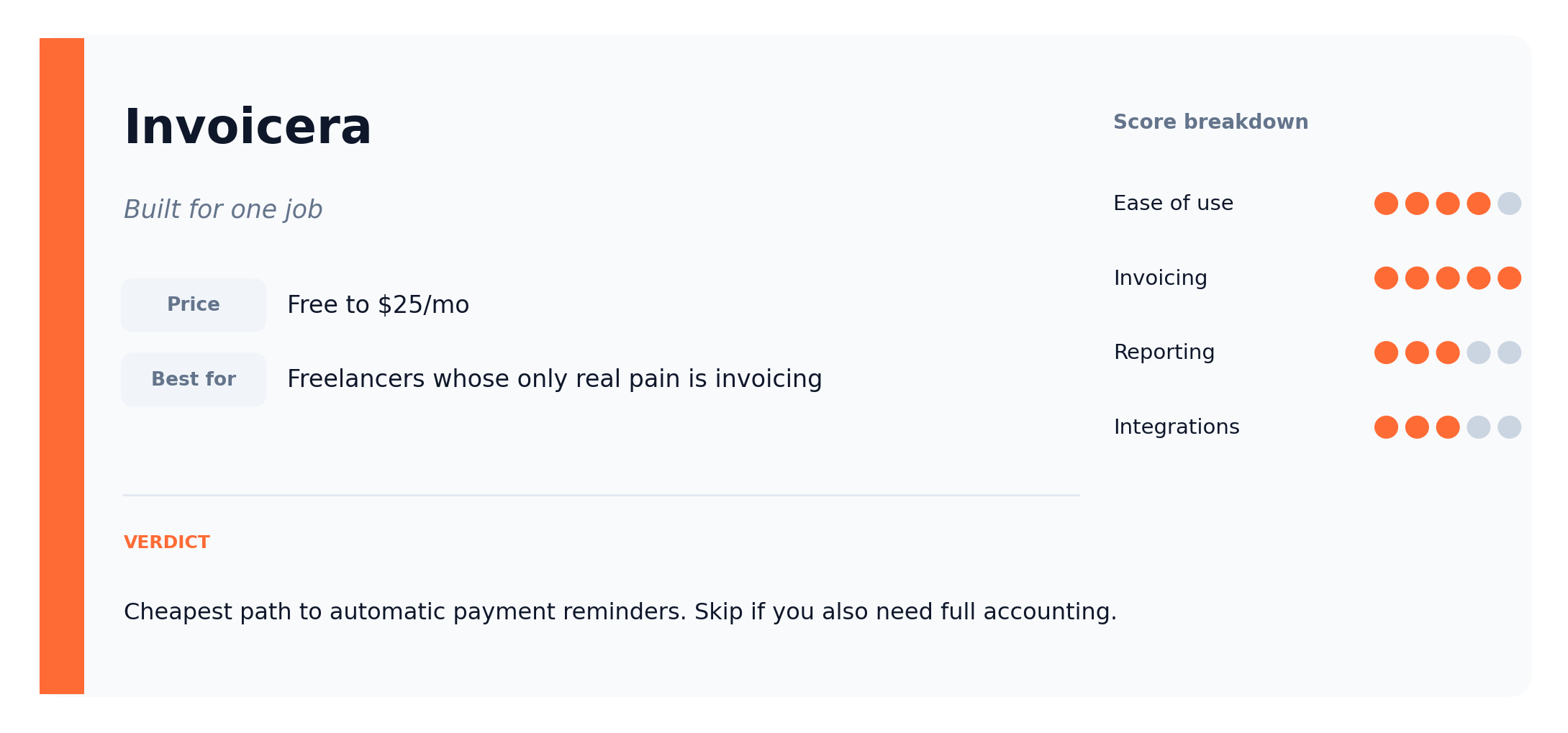
Invoicera does one thing well: invoicing. If chasing late payments and getting paid faster is the only thing you actually want fixed, Invoicera fixes it cheaply. The invoicing software guide covers it in more detail alongside its main competitors.
You build custom invoices, set up automatic payment reminders, and accept online payments through 14+ gateways including PayPal, Stripe, and Authorize.Net. The free plan caps at three clients and 50 invoices, which is enough for someone running a side business. Paid tiers stay under $25 a month for the freelancer-relevant plans.
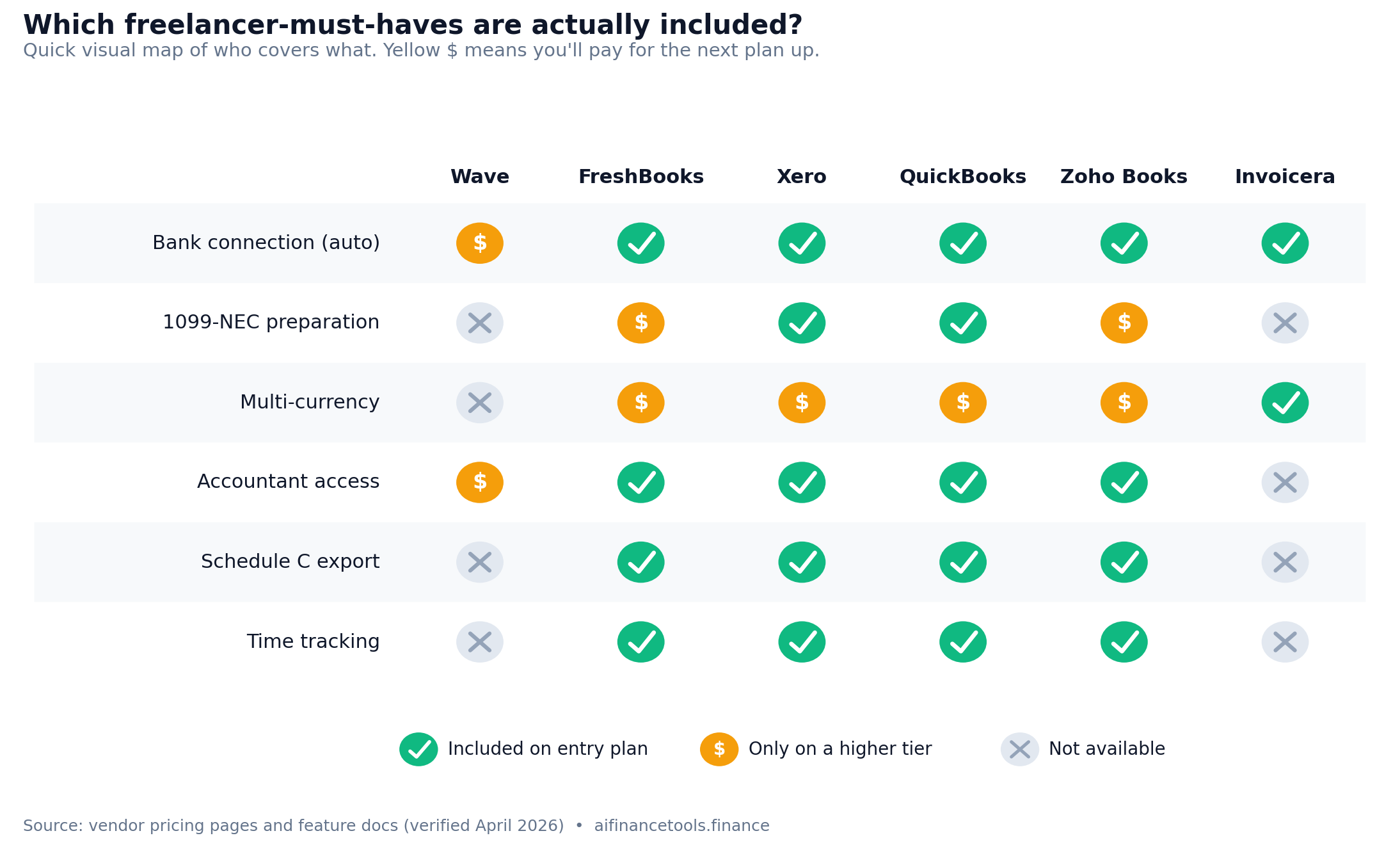
The limitation is obvious. It’s an invoicing tool, not a full accounting platform. Expense tracking is basic. Financial reporting is basic. There’s no built-in 1099-NEC support and no Schedule C export. If you want a real picture of your business finances, Invoicera won’t give it to you.
The verdict: If invoicing is your only problem, Invoicera solves it for almost nothing. If you also need expenses, reports, and a bank connection, go with FreshBooks or Xero.
Which one is right for you?
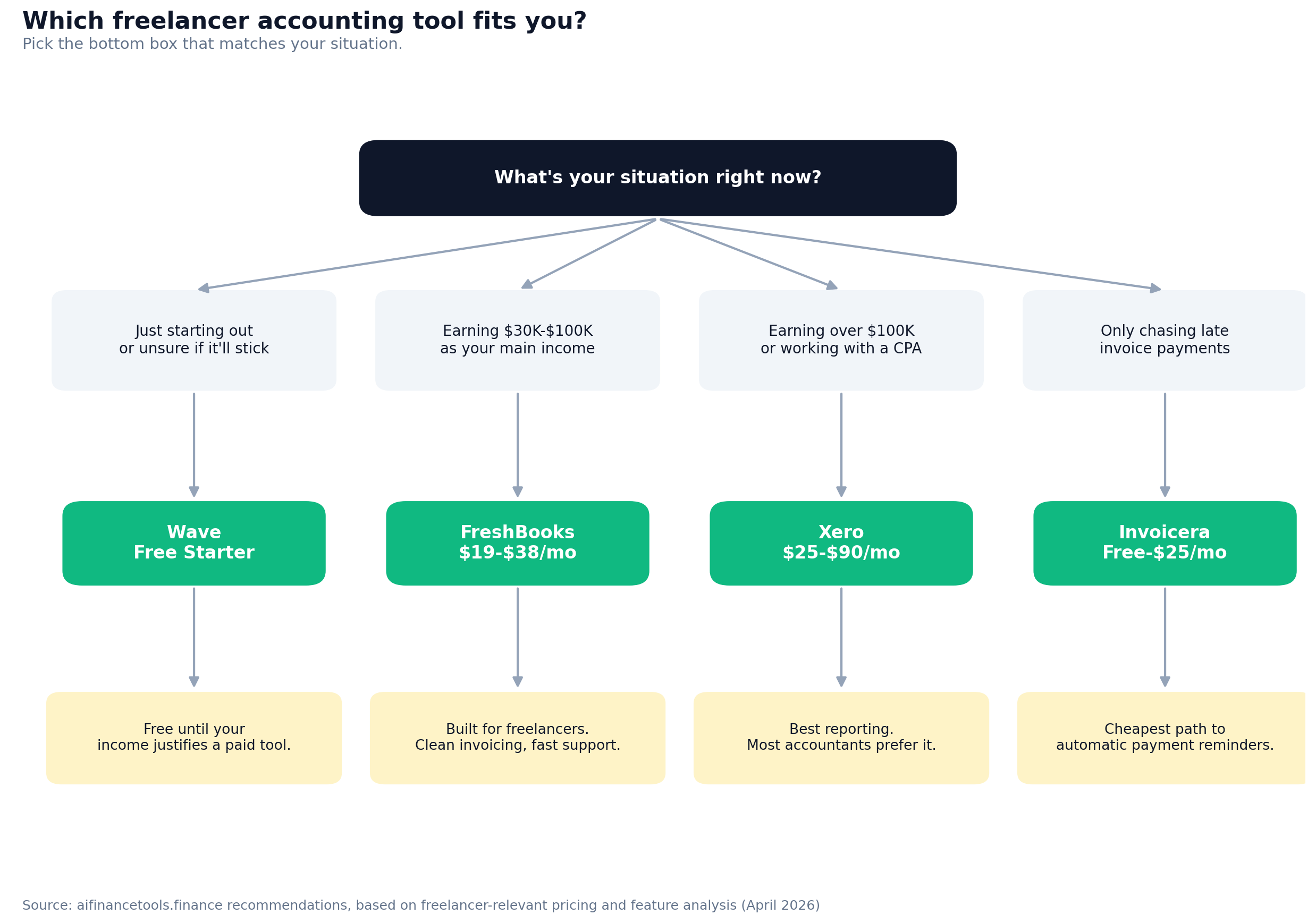
“I’m just starting out”
Use Wave (Free Starter)
Wave’s free Starter plan is the lowest-risk way to start. You’ll do manual transaction entry until you upgrade to Pro at $19 a month, but for someone just figuring out whether self-employment is going to stick, that’s fine. Plenty of freelancers run on the free tier for the first year and never feel the limits.
“I’m earning $30,000 to $100,000 a year”
Use FreshBooks ($19 to $38 a month)
It’s built for the income band you’re in. Lite at $19 covers up to 5 clients. Plus at $38 covers 50 clients and adds the recurring invoicing and late fee automation that actually saves you time. FreshBooks won’t calculate your self-employment tax for you, but it organizes the income and expense data your tax software or CPA needs to handle Schedule C and Schedule SE without back-and-forth. One late invoice paid three days early covers the bill.
“I’m earning over $100,000 a year”
Use Xero ($25 to $90 a month)
At this income level you need real reporting and proper financial visibility, especially when self-employment tax starts taking a meaningful bite (the 12.4% Social Security portion applies to the first $184,500 of net earnings in 2026; the 2.9% Medicare portion has no cap). Xero gives you the income picture you need to plan quarterly estimated tax payments without guessing. Most accountants prefer to work in it, which matters more as your tax situation gets messier.
“I work with an accountant”
Ask them first
Most lean toward Xero or QuickBooks. Using the platform your accountant already knows makes the relationship cheaper. They spend less time getting oriented to your books, which means less of your money on their hours.
“I invoice a lot of clients”
Use FreshBooks or Invoicera
Use FreshBooks if you want full accounting alongside great invoicing. Use Invoicera if invoicing is the only thing you actually need fixed and you want to pay less.
“I want maximum features for minimum cost”
Use Zoho Books (Free to $70 a month)
The free tier covers the basics if your revenue is under $50,000 a year. The Standard plan at $20 handles most freelancer workflows. You’ll spend a weekend learning it. After that, it pays you back.
If you only try one tool, try this
For most self-employed people, the answer is FreshBooks.
It’s usable on day one. FreshBooks was built for freelancers from the start, not retrofitted later. Invoicing tops most freelancer review sites. Support actually picks up the phone. At $19 a month on the entry plan, you’ll make that back the first time an invoice gets paid three days earlier because of an automatic reminder you set up once and never thought about again. The Schedule C-friendly export at tax time saves you another half day of work in April.
Starting out? Wave Free. Earning good money? FreshBooks. Earning serious money with an accountant? Xero.
If you want one answer: FreshBooks.
Try FreshBooks free (30-day trial):
Get the free freelancer finance toolkit
Download these free resources and join 5,000+ freelancers getting practical money tips every week:
- Cash flow forecasting template (Google Sheet and PDF)
- Tax deduction checklist for freelancers (47 items, PDF)
- Expense tracking checklist (PDF)
- Record keeping guide (PDF)
- Monthly finance tips by email
Common questions
How do I know which tool is right for me?
Start with your biggest pain point. If it’s invoicing, try FreshBooks or Invoicera. If it’s expenses or reporting, look at Xero or Zoho Books. Not sure? Start with Wave’s free Starter plan. It’s free and you can always move later. Most freelancers I hear from start on Wave and switch to FreshBooks once their income grows past $30,000 a year.
Can I switch tools later?
Yes. Most platforms let you export your data as CSV or Excel files. Setting up a new system takes a Saturday afternoon, which is part of why I tell people to start with Wave if they’re undecided. No pressure to commit to anything paid until you actually know what you need.
Do these tools connect to my bank account?
All six do, but Wave requires the $19 per month Pro plan for automatic bank imports through Plaid. The other five include bank connections on every paid plan. Once connected, transactions pull in automatically and you sort them as they appear.
Can my accountant access my books?
Xero, QuickBooks, FreshBooks, and Zoho Books all include accountant access on paid plans. Wave allows free Block Advisors tax pro access, and full admin or editor roles for an accountant on the Pro plan at $19 a month. If you work with an accountant regularly, ask which platform they prefer before you commit.
What about multi-currency?
Xero handles multi-currency on the Established plan ($90/month). Zoho Books supports it from the Professional tier ($50/month). FreshBooks supports it on Plus and above. Wave doesn’t. If you bill international clients, go with Xero or Zoho Books.
How long does setup take?
Around 30 to 60 minutes for any of these tools. You create an account, connect your bank, and start importing or entering transactions. None of them need a technical background.
Do I need to hire a bookkeeper?
Not necessarily. Most freelancers manage their own books fine with the right software. Once you’re clearing over $200K a year, a bookkeeper starts to make financial sense. They’ll usually save you more than they cost. Below that, the software handles it.
Do these tools generate 1099-NECs for contractors I pay?
QuickBooks Online and Xero include Form 1099-NEC preparation on every paid plan. FreshBooks supports 1099 reporting on Plus and above. Zoho Books offers it from the Standard plan onwards. Wave and Invoicera don’t generate 1099s natively. If you pay any US-based contractor $2,000 or more in a year (the 1099-NEC threshold for payments made in 2026, up from $600), factor this into your choice or budget for a separate 1099 filing tool like Track1099 or Tax1099.
Will these tools help me with self-employment tax?
None of them file your taxes for you, but the better ones make Schedule C preparation a lot less painful. FreshBooks and QuickBooks both export expense data in IRS-friendly categories. Xero and Zoho Books give you the underlying P&L reports your CPA or tax software needs. Self-employment tax (12.4% Social Security on net earnings up to $184,500 for 2026, plus 2.9% Medicare with no cap) gets calculated by your tax software, not your bookkeeping software, so you’ll still need TurboTax, FreeTaxUSA, or a CPA at filing time.
Ready to take control of your money?
Every tool on this list offers a free trial or a free plan. Pick one and try it. Thirty minutes of setup is enough to know whether it works for you.
Start with Wave (Free Starter):
Try FreshBooks (30-day free trial):
Try Xero (30-day free trial):
Go deeper
How to manage cash flow as a freelancer
How to forecast income 30 to 60 days out and avoid the gaps that catch most freelancers off guard.
How to avoid tax liability shock
Self-employment tax catches more freelancers off guard than most people realize. Here’s how to stay ahead of it.
Best invoicing software for freelancers
Stop chasing payments. These tools automate the follow-up so you don’t have to.
About the author
Gareth is an entrepreneur based in Dubai and the founder of Freelancer Profit. He’s not a CPA or a bookkeeper. He built this site because he couldn’t find honest, receipts-backed reviews of finance tools written for freelancers and self-employed workers. Every guide is researched from real user reviews, BBB complaints, Reddit threads, official documentation, and expert sources.
Coming from QuickBooks Self-Employed? Start with our dedicated comparison of QuickBooks Self-Employed alternatives, which covers migration steps this roundup does not.